Where to Start with Designaknit Knitting Software
Post overview:
- How to start learning Designaknit.
- Garment Designer and measurements.
- Links to free patterns when learning to use Stitch Designer.
- Link to the only online resource.
Studying the Software Manual
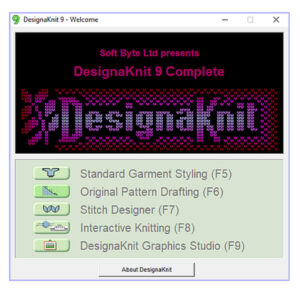
If I had to describe Designaknit (DAK), I would say it is the software that enables you freedom to design your own garment patterns and stitch patterns. It can give you endless options for designing whatever you want. Before you can start, you need to learn the software. Many users never get past the very beginning stage of learning and some eventually give up altogether.
It is common to try and learn Designaknit from various sources of online videos. Videos are helpful and I do recommend watching as many as you can. Videos are going to give you a brief overview of a specific part of the software or how to design a specific item and can be helpful. If you really want learn to fluidly use Designaknit, you need to study the user manual. I know this is probably not what you want to hear! There are many fine details of Designaknit that you will only find in the manual.
The user manual is found under the help menu of each section of the software. You can download the pdf and read it on any device or you can choose to print each section. The manual is over 1500 pages so printing will be expensive. If you want to print, I suggest printing one section of the software at a time and study it before moving on to a different section. I downloaded the pdf manuals onto my iPad and open them in the Goodnotes app. This app allows you to add notes, highlighting, bookmarks and more to pdfs. In the past, I have printed my manuals and marked pages with bookmarks and highlighted passages. The manual is not perfect. It can be confusing. Read to the end of this post to find a helpful online resource…
Choosing a Section of Designaknit to Study
I suggest starting with either Standard Garment or Stitch Designer. Which section you choose to start with will depend on what you really want to make first. If it is a basic garment in stockinette stitch, start with Garment Designer. If you really want to make you own stitch patterns and knit out swatches, start with Stitch Designer.
Garment Designer
If you plan to start with Garment Designer, it is helpful to have accurate measurements of the person you plan to knit the garment for. You can use the generic measurements included with the software if you want to start knitting right away. Baby and child patterns are small and easy to knit. There are many online resources for explaining how to take measurements for sewing. I suggest searching online for tutorials of how to take accurate measurements for sewing clothing.
Stitch Designer
The Stitch Designer section of the software, does have a few tutorials you can follow. The user manual goes into great detail explaining specific tools and use of the software. I suggest reading through the manual and using your software and machine to apply what you read. Learn the tools section and try out a few designs. Don’t worry if you do not understand or remember everything. You will have to read over the manual many times to pick up things you missed or didn’t understand the first time. The more you study the software AND use it to knit what you read, the more you will learn. This will take time and repetition. If you get tired of knitting swatches, you can set your machine up to knit my Lightning Fast Cowl pattern and have a finished item instead of several swatches. A more adventurous pattern would be my cut and sew hat pattern.
Resource for Help
If you get stuck on a specific part of the software, there is a Facebook group for Designaknit (link) which is very helpful. You can post questions or use the search box to search for answers. I know many people hate Facebook. I literally only use it for knitting and weaving and find it to be a valuable source for help and information. You can use a fake user name to sign up for Facebook if you want to be incognito.
Now you know where to start learning. You will have to put in the work of studying and knitting along to make progress.
I will have more posts about learning specific details of Designaknit coming soon.
This article has been written 100% by me without the help of AI.