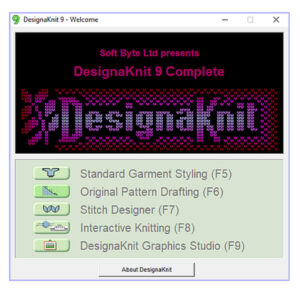
Getting Started with DesignaKnit (DAK)
I’ve been using DesignaKnit since Version 7, and honestly, every update just keeps getting better. Not only are the newer versions more powerful, but they’re also a lot easier to use and learn. If you’re just starting out, I definitely recommend using the most current version you can.
I see a lot of the same questions pop up in knitting groups and forums, so I thought I’d start sharing some simple DesignaKnit (DAK) tips here and there to help make things easier.
What Is DesignaKnit Software?
Designaknit is a software program that helps you create garments and stitch patterns for machine and hand knitting.
You can find more information, tutorials, and even a demo version on the Soft Byte Ltd website. The demo is a great way to test things out before purchasing.
Why You Might Feel Stuck Learning DesignaKnit
So you’ve got the software. You’ve watched a bunch of YouTube tutorials. But somehow… you still feel like you’re missing something and constantly looking things up.
Sound familiar?
You’re not doing anything wrong—this is super common. There are some great videos out there, but here’s the truth:
👉 You probably won’t fully understand DesignaKnit without studying the instruction manual.
The Secret to Learning DesignaKnit Faster
The instruction manual is where everything really clicks.
Inside the software, you’ll find manuals for each section under the Help menu. You can also download them as PDFs, which makes it easier to study at your own pace or even print sections if you like having something physical. There are also a few tutorials in the instruction manual.
Fair warning: the full manual is over 1,500 pages 😅
But don’t let that scare you—just focus on one section at a time as you need it.
How I Organize My DesignaKnit Manuals
What works best for me is keeping all the manual sections on my iPad and opening them in the GoodNotes app.
This makes it really easy to:
- Bookmark important pages
- Highlight key steps
- Add notes
It saves a ton of time compared to digging around for answers later.
Final Thoughts
If you’re feeling frustrated with DesignaKnit, you’re definitely not alone. It’s a powerful program, and there’s a learning curve—but once it clicks, it’s worth it.
Start small, use the manual alongside videos, and don’t try to learn everything at once.
I’ll be sharing DAK tips soon to help you get comfortable faster!
Barbara Fletcher
Wonderful idea. A great program. Thank you.